Posts

Showing posts from March, 2023

Gene editing of pets: The ethical dilemma!

Image
The RSPCA Royal Society for the Protection of Animals in the United Kingdom has warned that pets could be subjected to gene editing under a new government act, the Genetic Technology (Precision Breeding) Act 1 .  The act applies to all vertebrate animals, not only farmed animals, and it could lead to cats and dogs being gene-edited to include extreme features 2 .  Gene editing means alteration of the genetic material of a living organism by inserting, replacing, or deleting a DNA sequence, typically with the aim of improving some characteristic of a crop or farm animal or correcting a genetic disorder 3 . Gene editing is performed using enzymes that have been engineered to target a specific DNA sequence, where they introduce cuts into the DNA strands, enabling the removal of existing DNA and the insertion of replacement DNA 4 .  The most popular enzyme used for gene editing is CRISPR-Cas9 4 . Gene editing laws vary by country.  In Europe, gene-edited plants and anima...
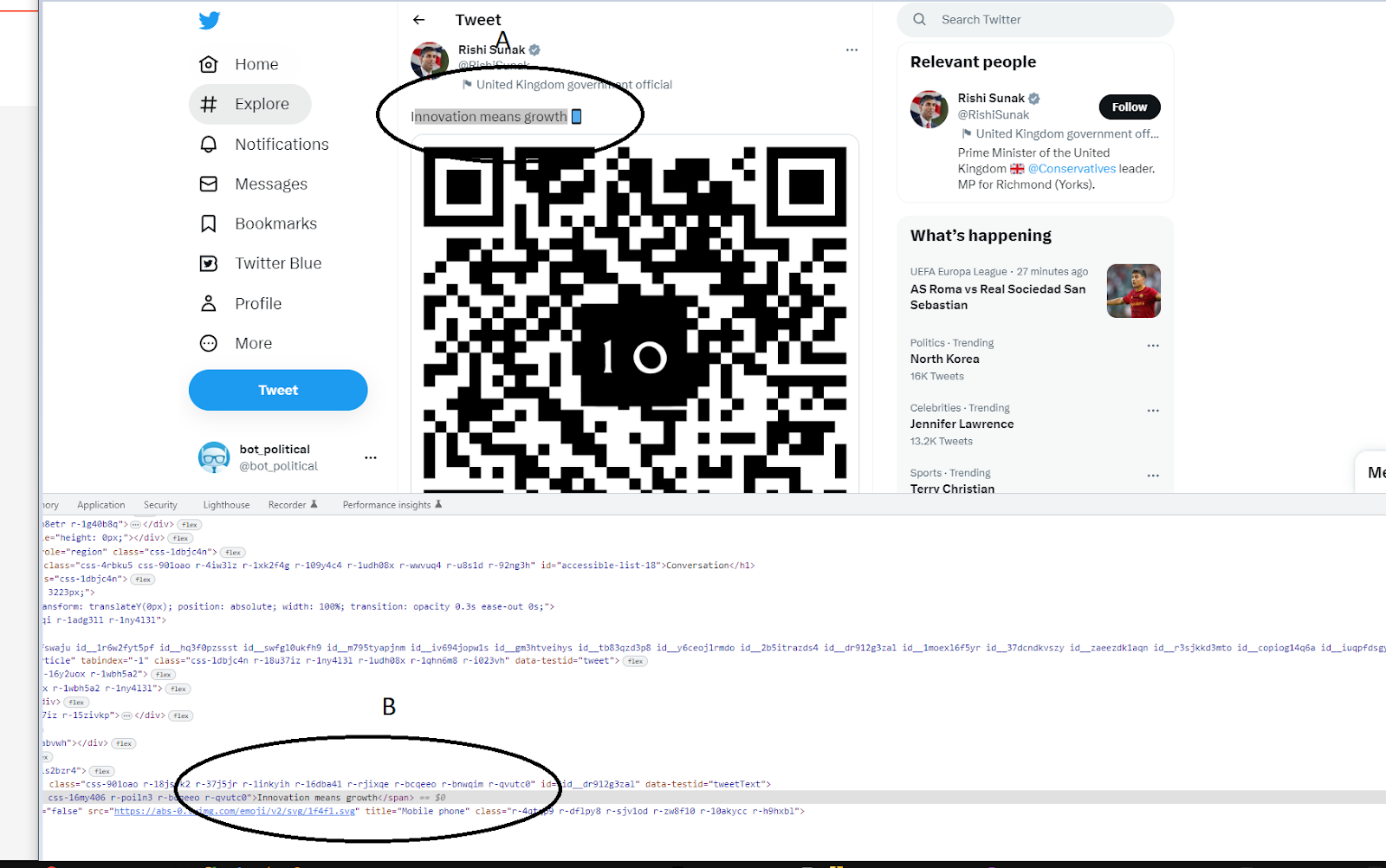
How to Win Any Argument on Social Media, Every Time

Image
Allow me to demonstrate how to easily create a screen shot of a social media post, regardless of the content you wish to present. Any modern browser provides the functionality to manipulate the HTML and CSS content of a webpage and render it as the original. This method has been available for years and it is highly probable that many social media posts that are screenshotted are fraudulent in nature. It is recommended to utilize a laptop or computer with a browser that provides developer mode for this purpose. Here are the steps to follow: Step 1: Open a browser and navigate to a social media site, such as Twitter. Select a tweet that you wish to modify. In this example, I will provide instructions for Google Chrome, which can be easily adapted for other similar browsers. Step 2: Highlight the text or image of the tweet that you wish to alter. Step 3: Right-click on the selected content and click on "Inspect". Step 4: A window will appear displaying the HTML and CSS code of t...